• Skip to main content
  • Skip to secondary menu
  • Skip to primary sidebar

NevBlog

Neville's Digital Surrogate Brain

  • Home
  • About
  • Goals
  • Podcast
  • Timeline Viewer
  • Contact
  • Random Article

Personal

My Trip to The GooglePlex

September 11, 2008 by Neville

You know, I wasn’t quite sure how to write this particular post. Originally I wanted to do a post called “What Would I Do If Google Disappeared?” in which I would describe the various facets of life that Google directly affects my life.

Then recently I wanted to write a post about my trip to the GooglePlex in Mountain View, CA. I just had to see it since I’ve heard so much about it…almost built up to mythical status in my head.

Both ideas seemed good, so I think I’ll just roll them both into one big Google-y posting:

WHAT WOULD I DO IF GOOGLE DISAPPEARED?
All the ways I use Google in life.

Boom. Something big happens and every Google service I currently use is gone. The best way for me to think of every Google service I use it by taking it step by step.

DAY TO DAY:
I wake up every day, and the first thing I do now is NOT go into the home office like I used to, but stay in bed and grab my iPhone. Almost immediately all my email from several different accounts are downloaded. Two of them utilizing Gmail.

So my day starts off without any spam mail whatsoever, thanks to Google Gmail. I later get up, then start my desktop and laptop…both of them have Google Desktop installed (which I use constantly), and then I soon after load up my internet browser, which is 50% of the time Google Chrome. The other 50% of my surfing is done on Internet Explorer since Chrome is so new and still has a few tiny bugs, but even my Internet Explorer has the lovely Google Toolbar installed on it.

BUSINESS RELATED:
I update invoices and many documents through Google Docs which is great. Many times a day I search the internet for something. The search engine I use? Take a guess…

Even though my business email addresses all have their own domains, all the mail is relayed through Gmail servers to filter out the spam.

When I look up videos or host my own product demonstration videos, of course I use YouTube which is owned by Google.

When I look at the analytics for my businesses, guess which service I use? Google Analytics. It’s by far the best website analytics service around, and it’s free.

For making money off websites I use Google Adsense.

For advertising my own products I use Google Adwords.

For accepting money on websites I use Google Checkout in addition to my merchant account.

For HouseOfRave searching, the site uses Google Sitesearch.

…and finally, as I type these very words into my internet browser, I’m using Blogger….ALSO owned by Google!

I’m sure there’s lots of different ways that Google affects my personal and business life that I forgot to mention, but I digress to continue to my next subject:

MY TRIP TO THE GOOGLEPLEX:
WOW, so Google plays a hand in almost everything I do. There’s many other companies that do this: Microsoft, AT&T, Johnson & Johnson and the list of big companies goes on…but Google is the most visible character I play with.

Myself and many others continue welcoming Google into our lives because they keep simplifying things for us, making things better and providing great tools.

Now where is all this stuff made, and how do they continue banging out such cool stuff at such breakneck speed? Well, I’m pretty sure my visit to the GooglePlex shed some light on that.

QUICK DISCLAIMER: Google, if I offend you in any way I apologize in advance. I don’t think anything I’m posting here is confidential or intrusive to Google. I might have gotten a few security gaurds on my case telling me to put the camera away, and I always obeyed, but here are the pics I have. Considering the above list of ways I use your services, you probably know EVERYTHING about me, which makes you sort of like God. Please don’t smite me.

Now keep in mind I have pretty much zero experience working for a big company, so I’m not too familiar with how workspaces are setup, but from what I know, Google seems to be on the cooler end.

I quickly realized why they call it the GooglePlex. It’s BIG. Each building isn’t particularly massive, but it’s definitely a large network of separate buildings (hence the ‘plex’). In the relatively small city of Mountain View, CA., Google’s offices hold roughly 15,000+ people and is still growing. It occupies 47 buildings.

At first I thought I was driving through a large business park, but quickly realized that every building I was passing had a Google sign. Some are buildings that existed previously, some were just recently built for Google, and more are in construction, but they’re all Google’s.

So walking through a typical building might look something like this:
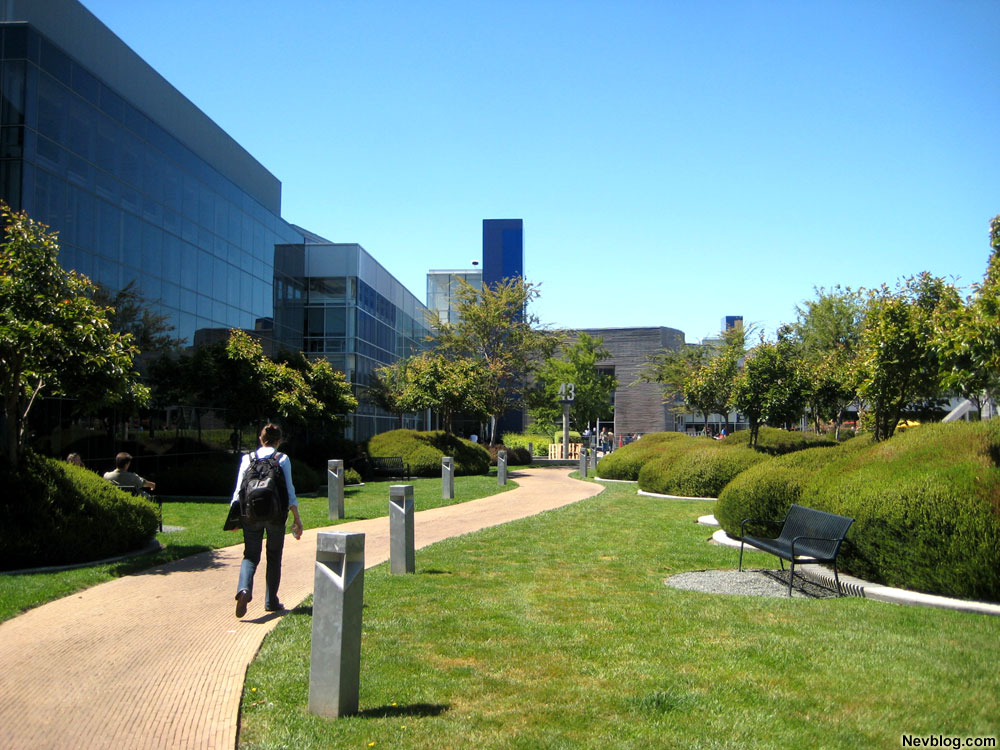
Very nice, serene landscaping coupled with the beautiful year-round weather of Mountain View makes a nice combination.

But for the most part, the main attraction at Google is the food. From what I’ve read, I had this weird impression the Google cafeteria would be some crazy Willy Wonka-like wonderland with chefs sliding down poles and food being tossed into your plate by Oompa Loompas, but it was a little different.

Have you ever been to Las Vegas and eaten at one of those expensive buffets at a nice casino? It was kind of like that.

So the entrance to the main cafeteria building looked like this, with lots of people opting to eat outside:
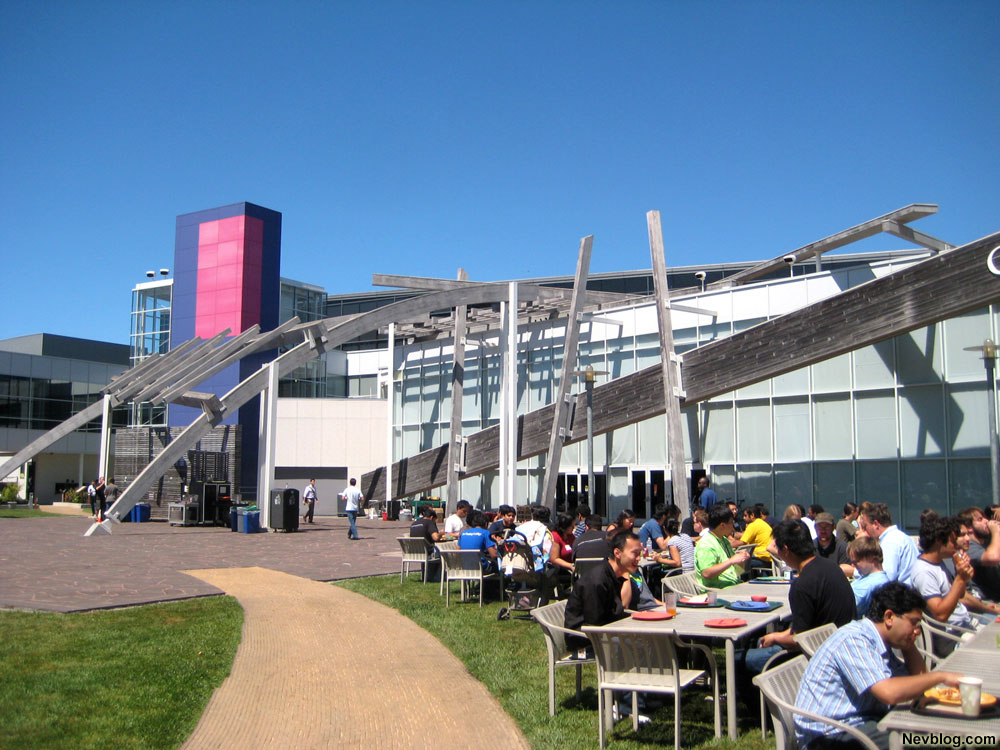
I personally don’t like buffets too much because there’s just WAY too much stuff to eat. However there’s something to please EVERYONE at Google!

Google provides free breakfast, free lunch, free dinner and free snacks to all their employees…and they’re welcome to bring guests and family often as they wish. Many Googlers feel absolutely no need to eat anywhere else.

They have every type of cuisine you can imagine, and hire some of the best chefs around. From the main buffet area here’s what I chose:

I eat weird things at buffets, and wasn’t particularly hungry, so don’t judge the quality of the food by my diet.

What’s also cool is they have 19 other cafeteria locations, each with a theme. One of them is called ‘Seven’ or something like that….and it serves only foods made from the 7 original food groups. Near the main cafeteria there’s also a fruit smoothie bar that makes smoothies only from fresh fruits, vegetables and other stuff that was harvested practically yesterday.

There was a woman in one of the ancillary cafeterias I saw whose sole job was to grind wheatgrass into juice. It takes a huge amount of wheatgrass to make a little juice, and she puts this concentrated juice (which is supposedly full of stuff that’ll make you healthy) into a shot glass, then puts the shotglass in crushed ice. There’s roughly 20-30 shotglasses on ice full of ice-chilled wheatgrass juice which you can just walk by and drink. As for drinking pure, crushed wheatgrass….it honestly didn’t taste that bad.

Here’s me chillin’ with my Gmeal:

Another cool thing is many of the herbs, fruits and veggies used to make the food are grown on site at Google. In the same outdoor area where people sit to eat, the food is being grown. Fresh food AND locally grown…hard to complain.

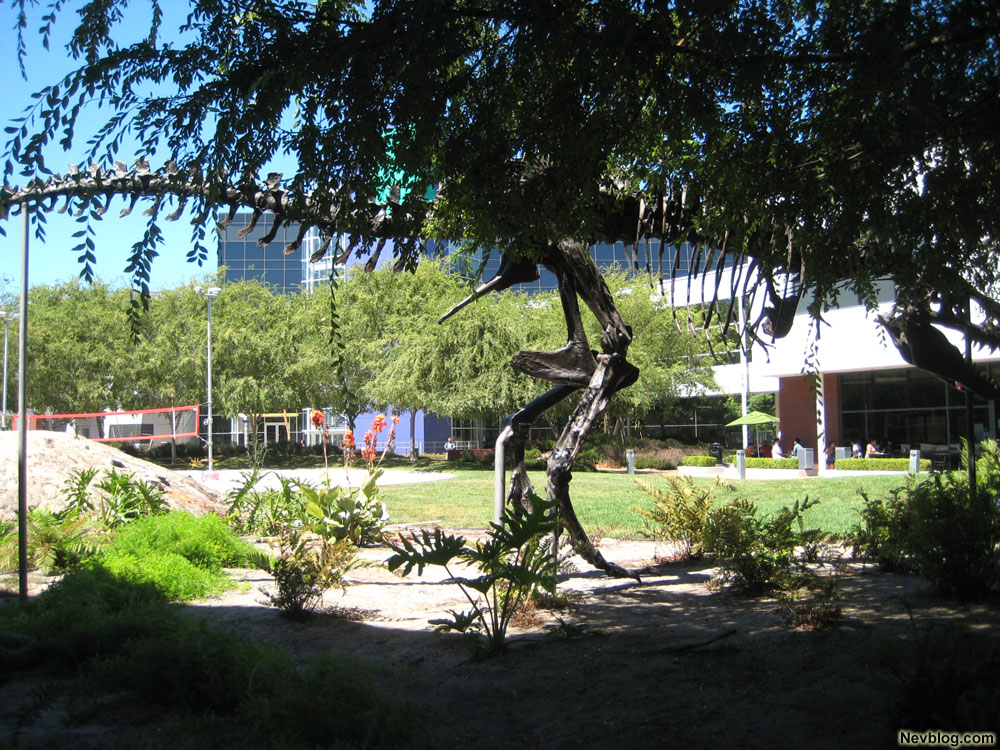
Walking along one of the main buildings there was a full scale tyrannosaurus rex, one of the many pieces of funky art dotting the landscape:
Right alongside this garden were meeting rooms. Here’s an actual Google meeting taking place (with the T-Rex in the reflection):
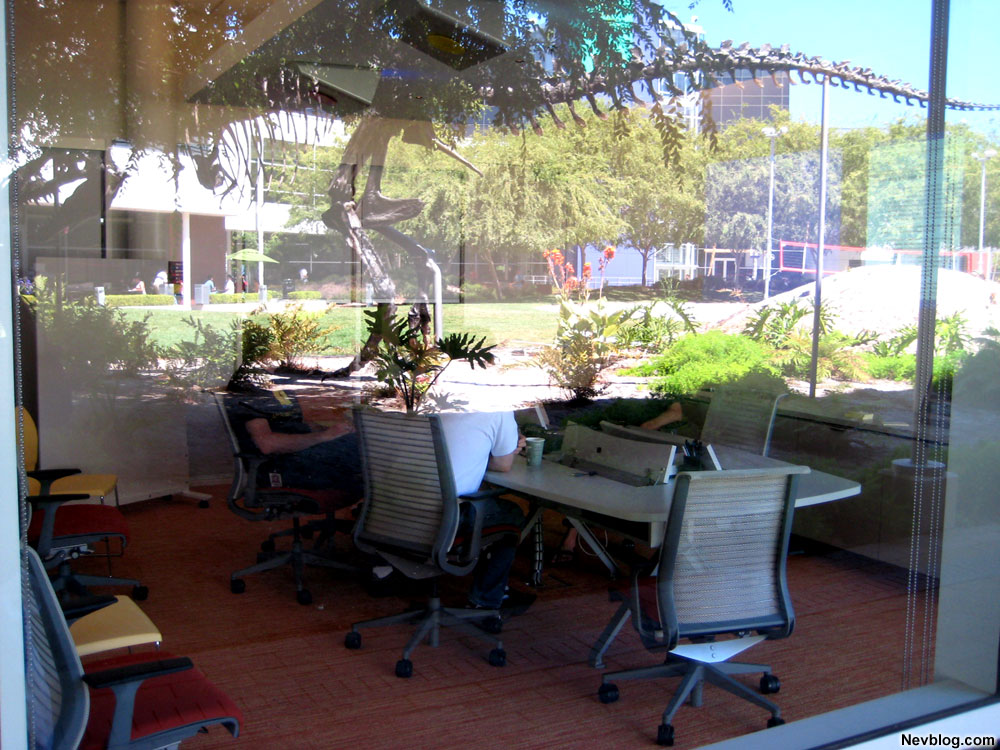
So after taking pictures of a meeting room, I think I got a few uneasy stares and had to chill out with the camera action. In fact while indoors I wasn’t supposed to be taking any pictures at all (hence the lack of the cafeteria pictures).

This was one of the outdoor concourses of the main building. Pretty funky architecture:
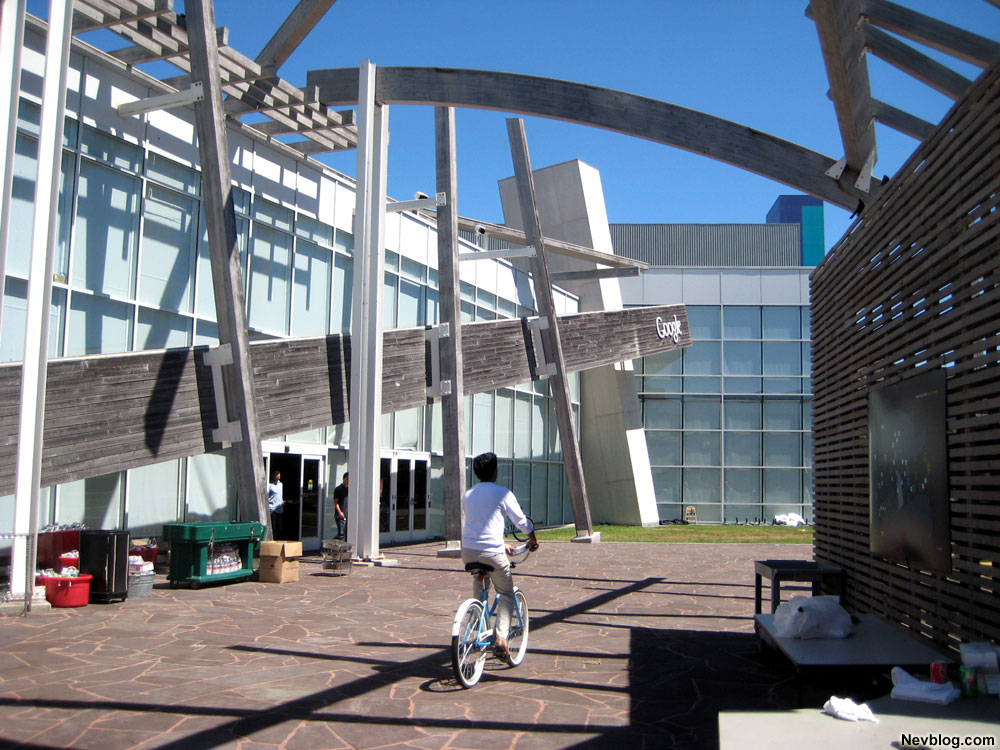
Now you see that bike the guy is riding in the above picture? Well there’s hundreds of those around the GooglePlex that anyone can use. Lets say you need to go from building 25 to the building 40…well that’s a long walk. However simply walk outside the building, and you’re bound to see a fleet of these bikes just randomly parked around. Grab one and go!
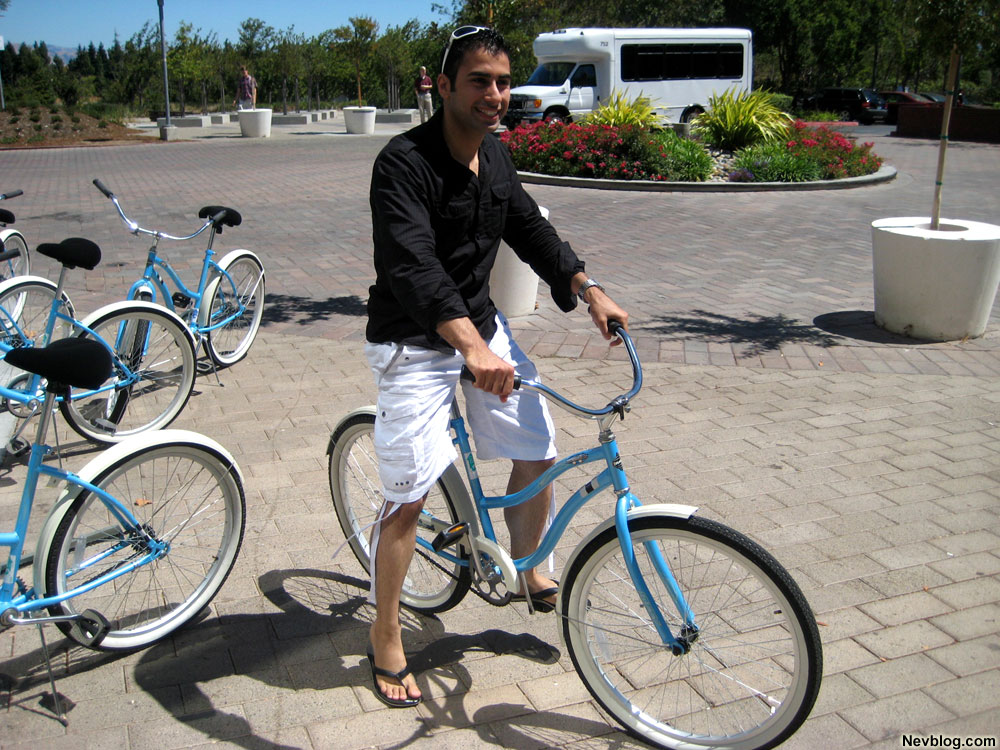
I thought it was pretty fun just grabbing a bike and going, then not having to worry about securing it to a bike rack…just leave it and go, ready for the next person. By the way, I actually got in trouble for taking the above picture on the bike.

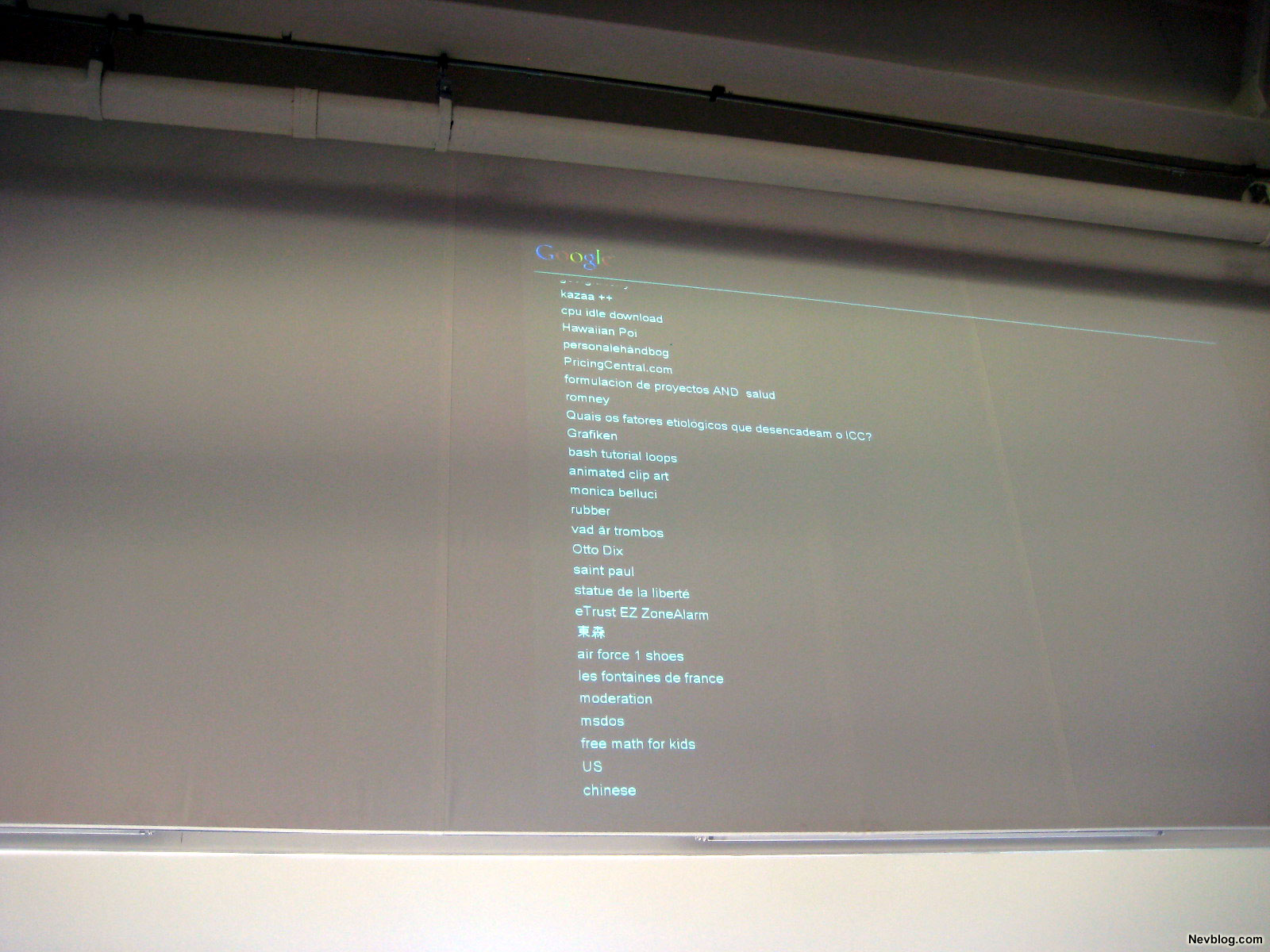
Here’s a bad picture of the visitors center:

On the walls they have several monitors projecting live Google searches from around the world. The monitors quickly scrolled keywords, maybe 1 or 2 per second. From what I understand, they’re filtered for profanity, or else it’d be a very offensive visitors center!
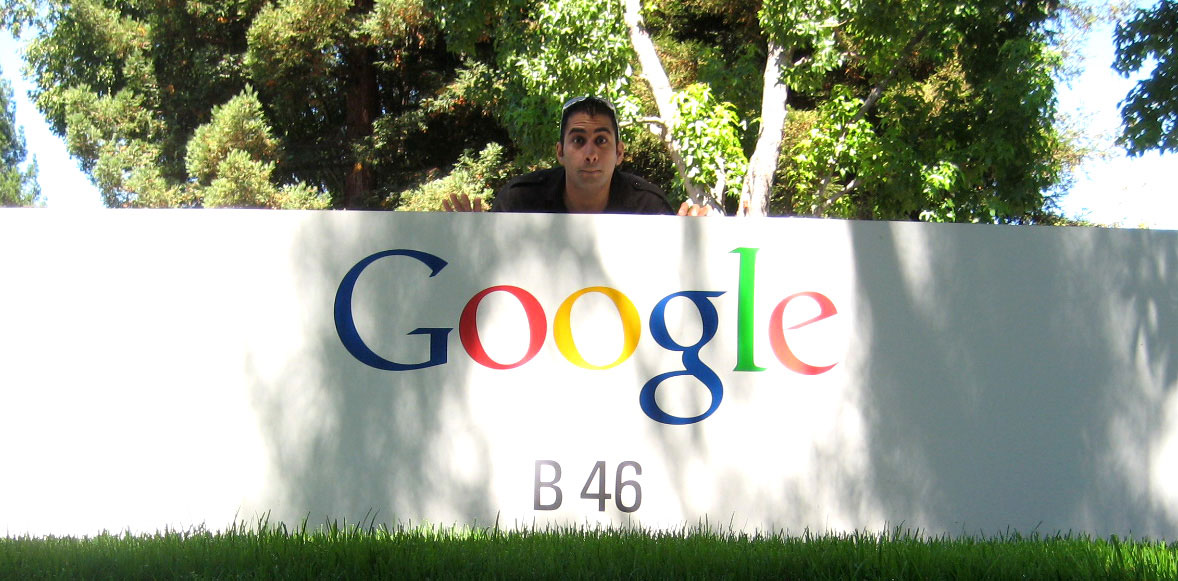
And finally here’s the picture I call my “SEO Picture.” Search optimization at its best, literally on top of Google!
So that was my Google trip. This was one of the first corporate environments I’ve ever stepped in (besides Take Your Kid To Work Day), and I must say one thing:

It reminded me of college.

It was a bunch of smart, young people working hard on projects, riding bikes around, working and playing in the same area and everyone lives close by and you don’t necessarily have to show up every day.

There are however some subtle differences such as you get PAID to be here, they provide everything for you completey free (gym, personal trainers, haircuts, car washing, dry cleaning, good food etc) and everyone is slightly older (but not by much).

From what I understand, this single Google location blows through $1,000,000/week on food alone. That number doesn’t include all the other amenities they provide. But considering the company brings in a billion and half dollars per month, that figure isn’t so crazy.

I definitely see why people would want to work here, and how they attract some of the best talent around. So I guess attracting top talent and keeping them very happy has definitely helped Google become such a strong, global force so quickly.


The only problem I found with Google:
…
was parking. I find it ironic that I can find the entire text of Moby Dick using Google in half a second, but it takes me 15 minutes to search for a parking spot. Ha! Perhaps they’ll find a solution for that too (update: I’ve been informed they offer free valet parking at buildings 40, 41, 42 and 43)!


Advice To A Soon To Be College Grad

August 13, 2008 by Neville

A close family friend (Burjis) whom grew up like a brother is about to graduate from college with a degree in electrical engineering (which I think right now are the highest paid graduates). He’s recently started asking me question about money, but I sensed he didn’t really didn’t know what to start asking.

Even more sad, was I didn’t know what to tell him, or even where to point him.

There’s a million and one books on the subject, but of course they’re all too long and detailed to give any practical advice which can be acted on in the next few hours (although reading them is a great way to start).

So after feeling bad that I couldn’t immediately impart any valuable knowledge, I decided to write down what personally helped me when I was ready to graduate college.

My own brother Ashdin will also be in the exact same boat in one year, so I figured this is a good time as any to give this sadly un-discussed subject a shot.

So this post is dedicated to Ashdin and Burjis:
———————————————–

Just FYI:
I’m a little different in that I never started a job hunt (didn’t want to, need to or plan to), but at the age of 25 I’ve seen many close friends go through it, take jobs, and many of them regret their choices.

I can count the people I know my age who like their job on one hand, and still have several fingers left over.

So are the things that helped me most during those pre-real-world-transition years. If you want more detailed advice, go read a book (which is coincidentally tip #3).
————————————-

I think the single most valuable thing you can have near graduation is options. This means you have a sufficient amount of money in the bank to live for a while without having to immediately accept a job offer just because they’re giving you a $3,000 bonus, and you have several different good job offers. This is why people usually end up in bad jobs, because they’re desperate.

If you manage to find your dream job before you even graduate, awesome.

By all means possible, avoid being desperate once you graduate. The list below is what I think helped me attain that.

1.) Save money
Stupidly simple advice that is in the #1 spot for a reason. If you go out on the town use a flask, only pay cash for your spending (so you can phsyically see and feel how much you are spending), don’t waste money on dumb stuff, use your money wisely. Whatever it takes.

I absolutely guarantee not spending a little money now will help A LOT later. If you work an internship, immediately put 50% or more away immediately before you can spend it. Let your friends spend $100+ several nights a week at the bar…good for them….your eye is on a bigger goal.

2.) Split up your bank accounts
It’s free and is possibly the greatest financial move I ever made, and you can do it online or at the bank in 15 minutes. Seriously, do it right now. It gives you a MASSIVELY better idea of how much money you can allocate to certain activities.

Do this anyway you like, but what I did in college was:

  1. General bank account: All money earned went into this account and was then distributed to the sub-accounts.
  2. Savings account: I didn’t know what I was saving for, but this proved to be amazingly valuable. When this account gets too big, I max out my Roth IRA with it.
  3. Spending Account 1: Going out, seeing a movie, having fun etc all came from this account. 10% of income was allocated here.
  4. Spending Account 2: I put 10% of my income to this account per month. This account strictly used for vacations and holiday spending (since buying gifts and going out during the holidays puts a strain on Spending Account #1).
  5. Investment Account: 30% of my money went here. This was money that could be used on anything that would help make money or continue my education.
  6. Bills account: 30% of my income went to this account. Paying rent, buying groceries (minus alcohol purchases or supplies for a party), gas, bills, insurance costs, phone bill etc. were all paid from this account.
  7. ROTH IRA: I opened one with Ameritrade even though I didn’t really know what the hell it was at the time. I just knew I needed it. It’s free and easy to open, and you can read a thousand books on how to squander the money in there. Point is, just open one now and learn about it later.
  8. Whatever you want: Open accounts that help you save for a cause like a ‘car account’ or ‘buying a condo in two years’ account. I opened many more, but the aforementioned 6 are the ones that helped kick it all off.

You probably won’t open this many accounts right away, but AT LEAST have 3 separate accounts for now.

3.) Read (about financial stuff)
Go to the public library (don’t bother actually buying these books) and start picking out books about personal spending. Go through at least two of these a month and you’ll start learning a wealth of different financial techniques and simple tricks. I’d say about 20% of what’s in these books is useful (and you’re both smart kids so you’ll know which 20%).

They mainly preach the same things, but they often throw in random gems of information. For example, I read the book “The Automatic Millionaire” which could’ve basically been summarized to this sentence: Setup your bank accounts to automatically transfer money to your savings accounts every month. Book done.

Read the stories, get inspired, learn from each book. I heard Jerry Seinfeld talking about all the books and classes he’d taken say, “I view all these things like supermarkets. I go into them, take what I need, then leave.”

I can’t stress how important it is to educate yourself on these financial matters. It’s enjoyable and will make your life a whole lot easier.

4.) The Investment Account
I liked experimenting with different small business ideas in college, so I create the Investment Account so I could use that coffer of money for anything I deemed would improve my understanding of something, satisfy my curiosity, educate me or make me money (primarily the last one).

I put a full 30% of my income into this account. In the past I have used it for piano lessons, guitar lessons, books, weird musical instruments, buying a tuxedo to crash parties in, making trips for business purposes and various money experiments for this blog.

Freely spend this account when needed. Investing back in yourself is absolutely imperative…and you’ve often gotta have money for it. I feel this particular account was a great help during those years.

5.) Have Job Options
Since I’ve never had a real job don’t take one bit of this advice…but hear me out:

Want to do electronics research…or maybe environmental design? Make sure you’re in the right place. Don’t be fooled by euphemistic job titles which sound cool but mean nothing. The term “Analyst” comes to mind.

The people I know who enjoy their jobs and learn the most from them are the people who made absolutely damn sure they get to do what they want on the job.

What I mean is they properly planned out the type of work environment they liked, what type of talents they’d like to develop, what industry they’d like to learn, and what type of work is the most intellectually stimulating to them. They then sought out companies which could offer this.

How could they do this? Because they had options. They had enough money to live for a while without having to take the first opportunity that gave them a starting bonus just so they could pay rent.

Oddly enough, these people were usually the FIRST to find great jobs and have offers thrown at them! I guess there’s something about a confident applicant who knows what he wants.

If the company gives you an offer you don’t like, you can tell them to, “Take this job and shove it” (of course never say that out loud…no matter how hilarious and satisfying it may be)! Your work will take up over 60% of your waking hours, you might as well get something worthwhile out of that time besides a check.

Don’t get ‘having options’ confused with laziness. The friends I see in good positions were also the friends who went to the MOST interviews and wisely and respectfully played company offers off each other.

…but I’ve never had a real job, so please don’t listen to me.

Good luck both of you, not that you need it.
-Neville

———————————
In the comments anyone can impart their own advice to these young 20-somethings who are about to enter the working world. What worked for you? What didn’t work? If you could do it all over again, what would you have done?

Experienced advice is likely far greater than mine.

Phun With Photography

August 6, 2008 by Neville

There’s really no reason for this post, although I suppose it can somehow relate to the ghetto photo studio (except professional grade cameras were used for these). Just for fun, my inner super hero in digitally rendered pictures!
Crouching Tiger, Hidden Dragon
(featuring John Erik Metcalf)

Original:
Cropped
Modified

Serious Sidekick
Original

Cropped & cleaned
Modified
Modified 2

The Hadouken
(featuring Jon Ray
)

Original

Cropped & cleaned

Modified

Nev in Cali – Aug. 19th till 26th 2008

August 1, 2008 by Neville

California’s about to get more crowded, I’ll be visiting again Aug. 19th (Tuesday) till Aug. 26th (Tuesday) 2008.

I’ll primarily be staying with my good genius goofy friend Cyrus:


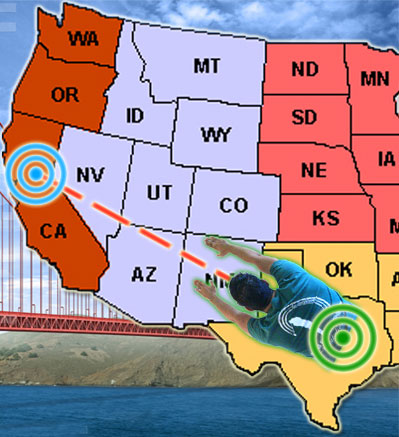
(Feel free to make fun of that superhero entrance)!

I’ll primarily be in Mountain View during the week, but will probably be lurking around San Francisco and San Jose a bit too.

The trip will be part fun, part business (I find trips to be most satisfying when you get a nice dose of both).

So if you’d be interested in meeting up, give me a shout!

Arrive – Aug. 19th, 2008 (Tuesday)
Depart – Aug. 26th, 2008 (Tuesday)

Snagged Me An iPhone

July 16, 2008 by Neville

iPhone’s are awesome, but I never really had the drive to buy the first generation. A friend told me the other day the new 3G ones are coming out and all the cool features it’d have so I went out and bought one.
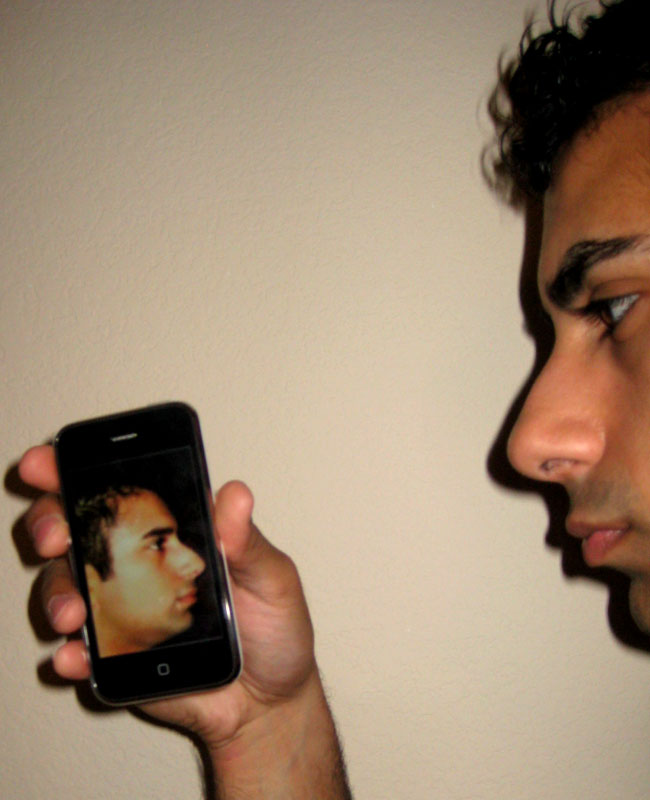


If you think I have anything bad to say about the iPhone you can stop reading now, because I’m basically going to gush about how great it is for the remainder of the post.

I moseyed in the AT&T store Friday afternoon and they didn’t have any. A line of fanatical iPhone fans waited overnight for the first set of phones on Friday afternoon. Crazy people.

Well I turned into one of those crazy line-standing people on Saturday morning at 7am, two hours before the store opened because I specifically wanted the white iPhone (since it was the rarest) and they told me I’d most likely have to wait in line early.

I stood 12th in line Saturday morning and got the first of only 3 white phones they had at the store and have been living happily ever after since.

I knew the iPhone blows away pretty much every phone on the market, but I didn’t realize it was THIS good. I never had one before so I was mesmerized at how unbelievably intuitive this thing is. Even though it’s the most advanced phone out right now, it’s the absolute simplest to use. Everything utilizes the dragging/flicking feature which makes browsing around very easy (and fun):

If you recall I once bought a Treo 700 a while ago which turned out to be a disaster. That thing was HARD to use. It required lots of clicking, searching and tapping to do basic things like check email or play a song. For that reason the Treo ended up being more of an overpriced text messaging machine than anything. I couldn’t do too much else on it. The iPhone is like an easy-to-use computer that happens to have an amazing phone on it.

Now a top of the line device doesn’t cost a bottom feeder price (I totally didn’t mean for that to rhyme).
So let’s break down the pricing here:

iPhone: $400 (With two year contract)
Activation: $35
T-Mobile Contract Break: $200
AT&T Monthly billing: $145

So my first month of having this phone will cost: $780
Subsequent months will be $145/month (more than twice my $71.00 monthly rate for a basic T-mobile phone).

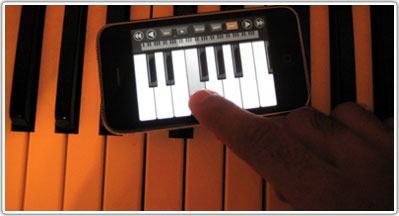
However the iPhone is so much more than a phone. You can do all sorts of things on it (and if you’re not careful, waste a whole bunch of time). When I’m not near my piano, I can now play on the go:

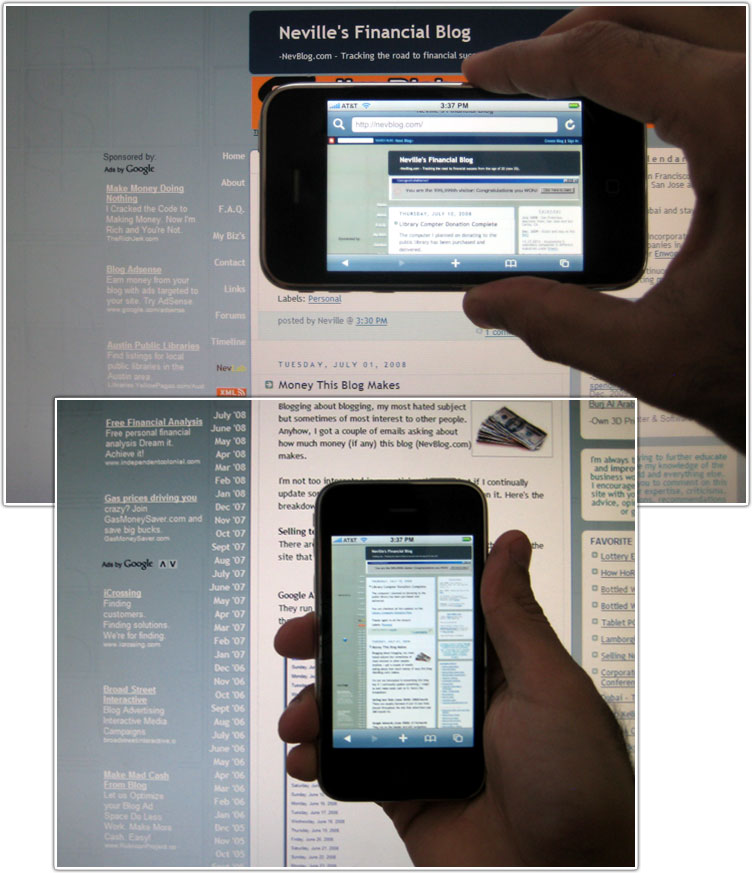
Or browse the web…the browser is amazing. The Treo I had could hardly load anything but Google, this thing can easily load big, ugly, un-optimized, bandwidth-hogging websites like yours truly:

For now I’m extremely satisfied with the purchase, and really glad I have all these extra features chilling in my pocket now. We’ll see if it’s worth it in the long run. However like all my previous expensive electronics I generally end up losing or breaking them in less than 6 months, so look for the “I lost (or crushed) my iPhone” post soon!

Library Compter Donation Complete

July 10, 2008 by Neville

The computer I planned on donating to the public library has been purchased and delivered.

You can checkout all the updates on the Library Computer Donation Post.

Thanks again to all the donors!

The Independence Day Computer – Please Donate (Update: All $1,075 raised)!

June 17, 2008 by Neville

For years I’ve made extensive use of public libraries. In high school I would read at least 1-2 books a week, all from the library at my school. During summers in college when I was at home and doing homework or correspondence classes I would go to the public library near my house for hours at a time to study.

Till this day I still visit the public library about 2-3 times a week. At least once a week I sit there and read every newspaper I can and every magazine that interests me. I also still checkout at least 1-2 books per week.

This equates to a lot of trips to the library…and all that information, all that wealth of knowledge in there, is free.

Here is the Ruiz branch of the Austin Public Library System which I frequent:

This library caters mainly to a low income crowd. Something I love seeing every time is the publicly available computers are always packed. But mainly I love seeing that it’s mostly kids using the computers. Generally they are using the computers for things that are seemingly “useless” like MySpace, Facebook, playing games or watching videos on YouTube….but those things are very important. When a kid grows up on a computer like this it gives them familiarity with using computers which is the goal.


(In case you were wondering….Yes, I did look like a creepy guy taking photos of the computer area)

…so anyways, the reason I liked this was because till this day I make my living from a computer. I remember having a computer since I was very, very young, but by high school that 33 Mhz computer was getting outdated. I remember my school getting brand new Pentium II computers that ran at 400 Mhz, I was amazed at how fast they were. I was impressed that a public setting had such advanced computers.

I would stay every day after school for these new computers with high speed internet lines, playing around on them with friends. All this ‘playing around’ resulted in deeper curiosity about computers and how to make web pages, program in different languages, how to use different graphics programs and opened up worlds of information.

Thanks to these computers I launched my first websites and even first internet business (HouseOfRave.com) from classrooms in high school.

SO after visiting my local library quite frequently and seeing the computers almost always fully occupied by kids, I wanted to do something small for them and donate a computer.

Now I don’t want to donate an old clunker, but rather something modern that will last a while and allow for fast usage. I felt almost a little…not sure how to word this…”special”…getting to use such new computers when they installed them at my school, and hopefully this can give the same feeling to someone younger.

I spoke with the technology coordinator and the library specifically needs Dell OptiPlex 755’s with several upgrades. They gave me a long list of must-have requirements, and the desktop with a 19″ flat screen comes to $1,075.00. …not bad computers for a public library. In fact the computer they need is far superior than my own desktop!

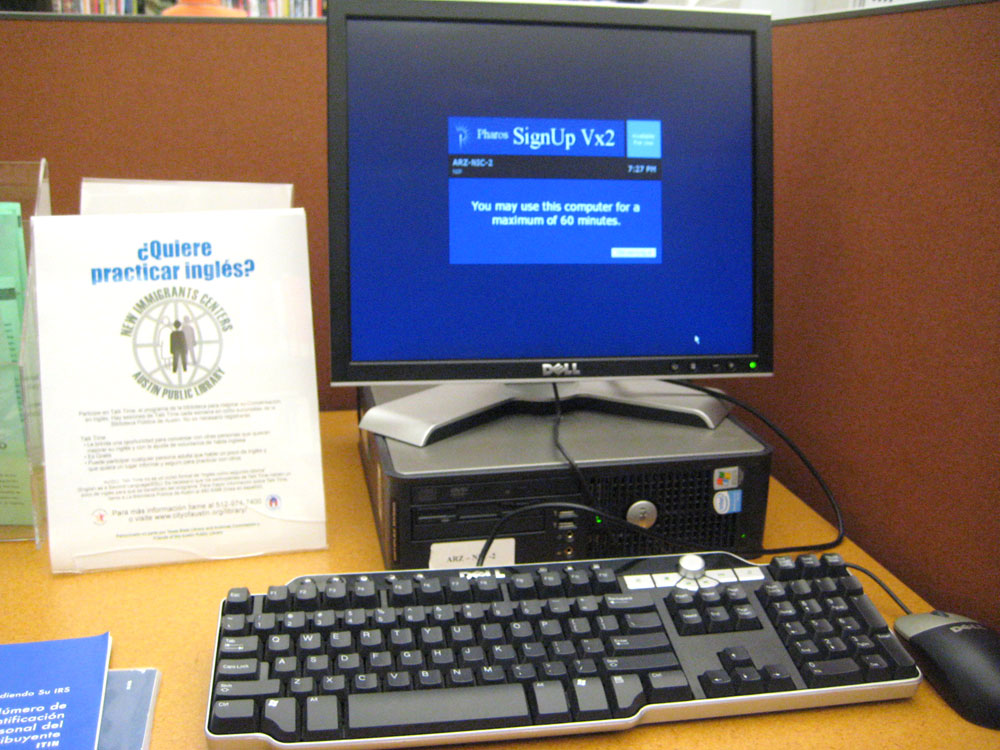
Installed the computer looks something like this:

I’m asking the NevBlog readership to help me in getting this computer donated. We need to raise $1,075 for the full system. It comes with slim desktop, monitor and plenty of power for a library computer…and it won’t be outdated for quite some time.

I will donate $300 out of my own pocket. I am making sure the donated computer will be placed in the Ruiz Branch Library of the Austin Public Library System, because I persoanlly go to this library all the time and know for a fact they need more computers, and also know for a fact that 80% of the users are always kids (the Central Library in Austin has 40+ computers, and I’ve hardly ever seen a kid use one..it’s almost all adults).

HELP DONATE, GET SOME LINKAGE:
So here’s the deal:
Anyone is free to anonymously donate, but I’ll throw in some incentive for some larger amounts. I’ll link your website if you donate these minimum amounts:

$25 – Relatively established blog (PageRank 3+)
$75 – Website advertising a service (anything legit).
$75 – Unestablished blog (PageRank 0-2).
$100 – Website advertising a service such as mortgages, home loans, credit cards etc..

You get a permanent link on this post with your choice of link and text.

If you’re an advertiser looking to get text links to your site, the $100 option gives you a permanent link from this post from a financially related website (#1 Google result for ‘Financial Blog’). Considering there are currently 11 advertisers paying $80/month for text links on this site, I’d say you’re getting an absolute steal.

THANKS TO THOSE WHO DONATED!:

  • TastefullyDriven.com – Thanks to Adam and the guys at PureAdapt.
  • NevBlog.com (Me)
  • Mark Anderson – Thank you for the very large donation!
  • Josh Holt on behalf of his concert reviews website.
  • Evan Arellano on behalf of his product review blog.
  • Noah Kagan
  • Larry Lassiter
  • Andrew on behalf of his structured settlements site.
  • Brandon Greenlee on behalf of his racing gear site.
  • Tarun on behalf of his secured loans site.
  • Beth Patterson on behalf of VirtualTeaHouse
  • Philips Johnson
  • Jay Lin

Total Needed: $1,075
Total Raised So Far: $1075

Still Need: $0.00

————————————
GOAL REACHED
————————————

Use the button below to donate. Any amount is greatly appreciated.


(NO MORE DONATIONS NEEDED)

I retain full right not to link your site if it’s shady or spammy (you know who you are).

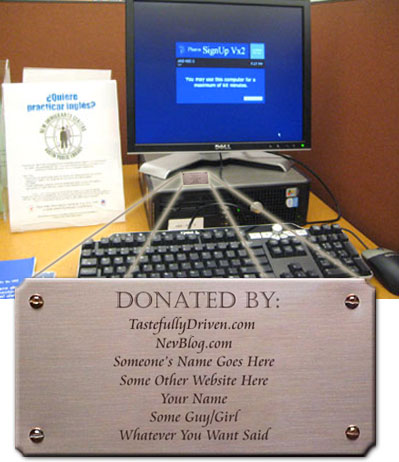
I’ll also be getting a small plaque made for the computer, so anyone who donates more than $50 will get their name or website name on the plaque:

I’ll make sure the plaque goes on the side of the computer as to not be so invasive to the user, and I will pay for this plaque using my own additional funds. I will also pay all PayPal transfer fees incurred in the donation process, so if you donate $100, every cent will go towards the purchase of the computer.

I call this “The Independence Day Computer” because I want to donate this computer to the library by July 4th. I’ll also make sure to post pictures of the computer when the money is raised and it arrives!

Thanks again for helping!
All donations are greatly appreciated, and go directly to a good cause without all the red tape or administrative fees.
-Neville Medhora

———————————————-
UPDATE (6-20-2008): ALL MONEY RAISED
———————————————-
Roughly 3 days after I posted this, all the money was raised for the new computer. As I type this I’m placing the order for the new OptiPlex from Dell and should have it in about a week.

I definitely want to re-thank everyone who donated for their generosity, and to let them all know that 100% of their money is going to a wonderful cause.

Sincerely,
Neville Medhora

———————————————-
UPDATE (6-27-2008): COMPUTER ARRIVES
———————————————-
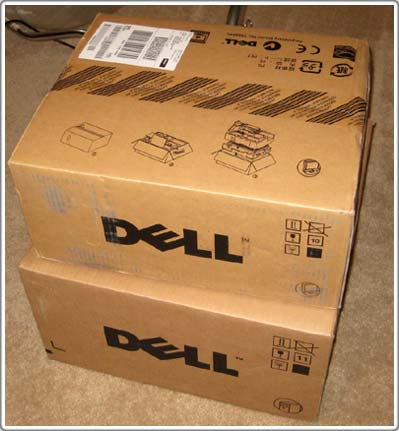
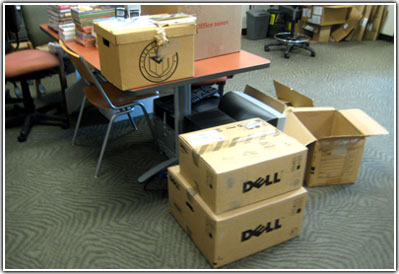
The OptiPlex from Dell arrived via FedEx today:

Now I’m waiting for the engraver to get the plaque with the names finished. There were some problems with fitting all the names on such a small nameplate, so they had to contact me back and forth which is wasting time. If it doesn’t arrive before the 4th of July I’ll send it to the library sans the plaque.

I find it funny that it takes the engraver longer to make a nameplate than it does for Dell to completely build and deliver a new computer!

Anyhow, I’m glad to say the computer will most likely be delivered sometime during next week. For those of you curious about the price, the total paid at checkout was $1,241 for the full system. In my initial estimate of $1,075 I forgot to add on a few options and account for tax. Since that was my fault, I’ll be picking up the additional expenses.

———————————————-
UPDATE (7-09-2008): PLAQUE FINISHED
———————————————-
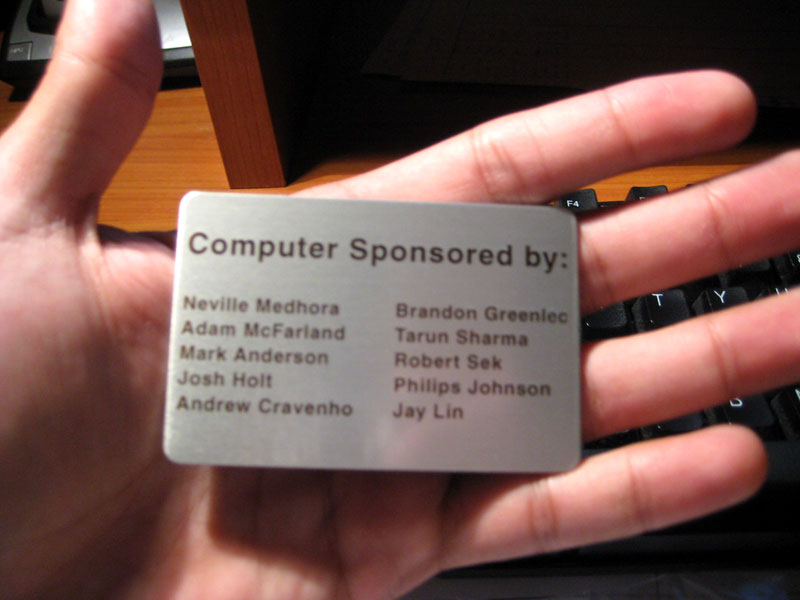
The plaque I was getting made finally arrived (over a week later than a fully customized computer):

…so now I can finally deliver the computer to the library.

———————————————-
UPDATE (7-10-2008): Computer Sent
———————————————-
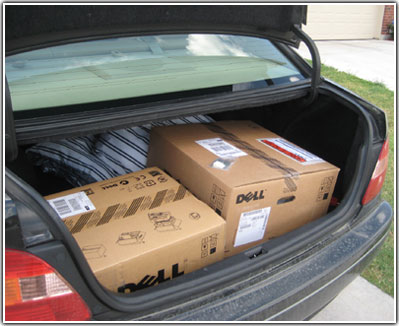
So with the computer and plaque in hand I packed up the computer in my trunk and drove it to the library:


(No, my car is usually not that dirty…just got back from a trip)

What made it extra sweet was when I showed up, the staff was JUST talking about where they really needed a new computer to go….lo and behold I show up with two big boxes in my hands like Santa Clause! It was very serendipitous:

Now the Central Library tech guys have to come by to setup and format the computer, but soon it will be put to good use.

Hopefully this single donation makes at least some tiny difference in the world. I know when I was a kid I always wanted to use the “new” computers, and it definetly had an effect on my outcome.

Once again, a big THANK YOU to all those that donated. This is a gift to the library that will continue to give for years to come!

———————————————-
UPDATE (7-23-2008): Thank You Card
———————————————-
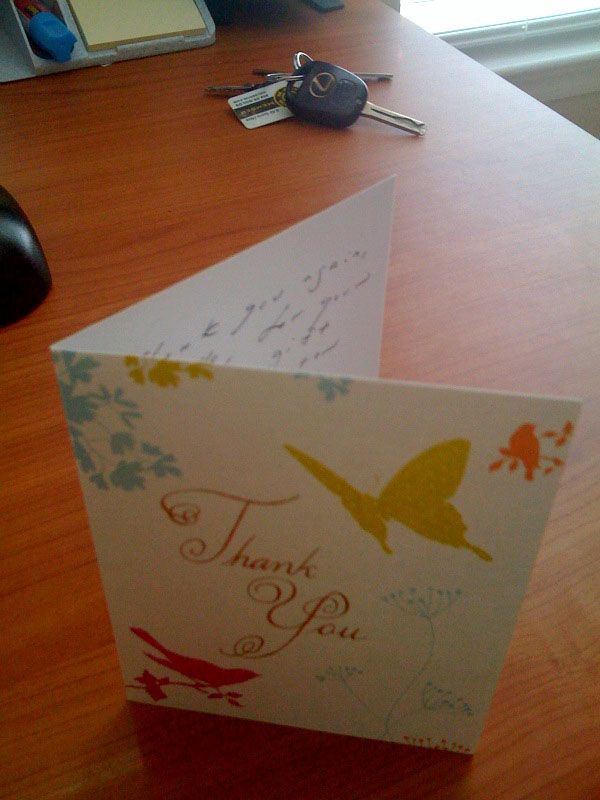
I just got a thank you card from the library thanking all the sponsors for the computer:

This was addressed to me and the co-contributors:

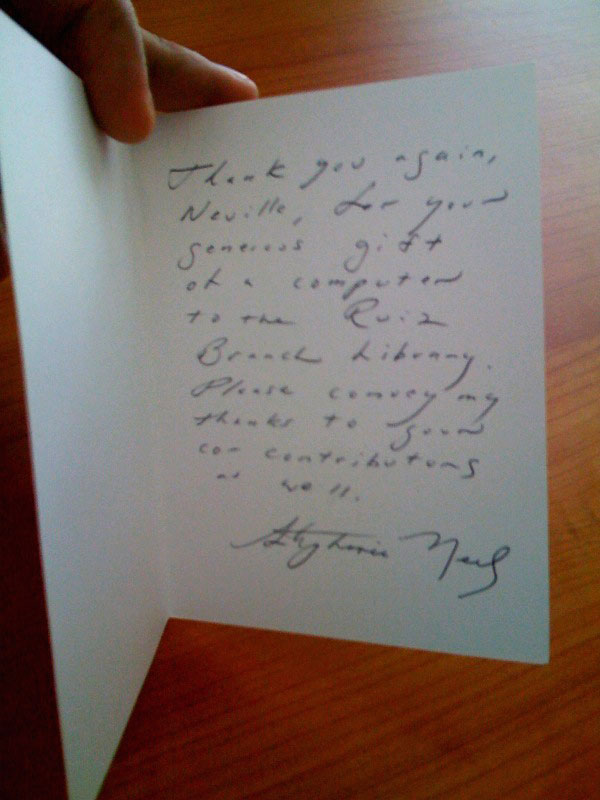
Reads:
“Thank you again, Neville, for your generous gift of a computer to the Ruiz Branch Library. Please convey my thanks to your co-contributors as well.”

———————————————-
UPDATE (8-07-2008): COMPUTER INSTALLED
———————————————-
The library main office got their people to format the new computer for the library network and has the computer up and running! The computer we donated is officially the coolest and by FAR the fastest in there. Checkout the computer next to it…..HA…still using a CRT monitor!

The picture above is the actual computer which was bought and donated with the NevBlog donations. Makes ya feel good, no?

And there you have it, from donations to actual results, thanks everyone!

Trying to Learn Flash

May 8, 2008 by Neville

Learning Photoshop has brought me lots of value (and money), and I think it’s much past due that I learn how to use Flash.

I can sssoooorrrrrt of use Flash right now as seen in my crude re-creation of my accident. I was also able to quickly pick up Swish which is what I might use from now on.

I’m not looking to become an expert in this, but I want to be able to regularly incorporate Flash into different projects. I can already make simplified little movies, but I want to learn how to use Action Script which is the programming language behind Flash (from what I understand). My end goal is to make small Flash files which react to mouse movement. Like when you roll your mouse over an area, it reacts in a certain way, or makes other objects in the file react. Shouldn’t be that tough.

As for now I’m starting to get re-acquainted with Flash, and this is my first little experiment with it:

That’s just from playing around a bit. I need to start learning how to properly use more advanced features. Both Flash and Swish have tutorials included in the software, perhaps those would be a good start. There’s also a massive amount of free flash tutorials out there (Google it), but has anyone had luck with a particular one?

I’ve given myself a reasonable time line to get familiar with making customized Flash modules: Two weeks. So come 5-22-2008 I should have some crude example of a interactive Flash file posted here.

What It Costs To Be Alive

April 30, 2008 by Neville

I don’t know where this came from, but I was randomly curious on how much it costs me to simply exist here in Austin, TX. per year.

Fixed Yearly Costs:
$1,000 = Car insurance ($84/month)
$1,800 = Health insurance ($150/month)
$960 = Cell phone ($80/month)
$6,000 = Rent ($500/month)
$12,000 = Food, gas, general items ($1,000/month)
$2,400 = Random Costs ($200/month)

Total = $24,160

That’s just to live, doesn’t even account for going out, travelling etc.
I also have few monthly bills because I have no debt, no loans and no car payment.

Hmmm….good to know.

Chicago Visit April 3rd – 7th

March 21, 2008 by Neville

I’ll be in Chicago from April 3rd (Thursday) till April 7th (Monday). If you’re in or around the area, hit me up!

Every time I go to Chicago I have a BLAST, and hopefully this time will be no different.

The purpose of this visit is A.) to have fun with friends and B.) to keep up with my goal of getting out of town every quarter.

This isn’t a very long visit, but I’m always happy to meet new people over a quick cup of coffee, or meeting up Downtown for the nightlife. Call me if interested!

  • « Go to Previous Page
  • Go to page 1
  • Interim pages omitted …
  • Go to page 8
  • Go to page 9
  • Go to page 10
  • Go to page 11
  • Go to page 12
  • Interim pages omitted …
  • Go to page 14
  • Go to Next Page »

Primary Sidebar

Hi I'm Neville. This is my personal website. More…

Follow Along:

✏️ My Copywriting Blog
📂 My Swipe File Collection
▶️ YouTube Channel
🐦 Twitter
🌇 Instagram

Some Articles:

✏️ To-do list hack
✏️ The Lottery Experiment
✏️ Curb painting for profit
✏️ Illegal to write on money?
✏️ How to crash a party
✏️ Why Facebook Sued Me
✏️ Bottled Water Experiment
✏️ How House of Rave Works
✏️ Copywriting courses & books
✏️ Learning to backflip
✏️ Death Calculator
✏️ The purpose of life
✏️ Spray painted some shoes
✏️ Previous months goals
✏️ Have a reading party
✏️ Random article

The Archives:

  • 2025: J F M A M J J A S O N D
  • 2024: J F M A M J J A S O N D
  • 2023: J F M A M J J A S O N D
  • 2022: J F M A M J J A S O N D
  • 2021: J F M A M J J A S O N D
  • 2020: J F M A M J J A S O N D
  • 2019: J F M A M J J A S O N D
  • 2018: J F M A M J J A S O N D
  • 2017: J F M A M J J A S O N D
  • 2016: J F M A M J J A S O N D
  • 2015: J F M A M J J A S O N D
  • 2014: J F M A M J J A S O N D
  • 2013: J F M A M J J A S O N D
  • 2012: J F M A M J J A S O N D
  • 2011: J F M A M J J A S O N D
  • 2010: J F M A M J J A S O N D
  • 2009: J F M A M J J A S O N D
  • 2008: J F M A M J J A S O N D
  • 2007: J F M A M J J A S O N D
  • 2006: J F M A M J J A S O N D
  • 2005: J F M A M J J A S O N D
  • 2004: J F M A M J J A S O N D

Copyright © 2025 Neville Medhora