• Skip to main content
  • Skip to secondary menu
  • Skip to primary sidebar

NevBlog

Neville's Digital Surrogate Brain

  • Home
  • About
  • Goals
  • Podcast
  • Timeline Viewer
  • Contact
  • Random Article

Business

Dinner with Peter Thiel

May 20, 2024 by Neville

I once had dinner with Peter Thiel…

….and whenever someone asked his opinion on something, he’d give a “spectrum of possibilities” for every answer.

Example: If I asked his thoughts on the future of the Dollar, he would respond:

“Ok, here’s 3 scenarios…”

Then he would give 3 different “scenarios” ranging from:
– Normal and boring scenario.
– Good and Bad mixed scenario.
– Crazy worst case scenario.

Then he’d backup each scenario with data or comparable past events.

He rarely thought something was black and white, but that everything was a spectrum of possibilities.

It was super cool to see his thinking in action!
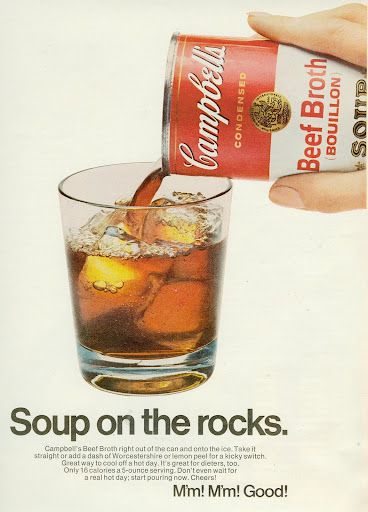
A different use for Campbell’s Soup

August 25, 2020 by Neville

Sometimes you can take an existing product and “repurpose it” for other uses. Kind of like alcohol companies making hand sanitizer. My favorite example of repurposing is this Campbells’ Beef Broth ad showing that you can just drink it directly!

campbell's soup ad

Walt Disney’s winning strategy

August 24, 2020 by Neville

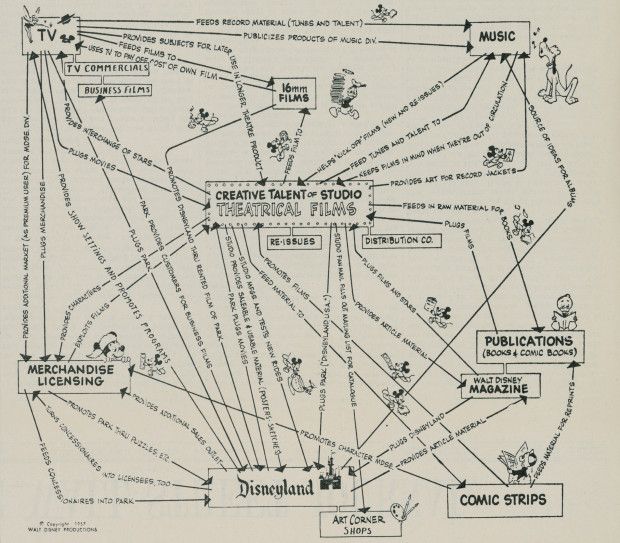
This is the Walt Disney Company strategy chart from 1957. I’m not a huge fan of charts like this (they are kinda confusing in my opinion), but it shows how all their divisions weren’t separate projects, but rather fed into one another.

Disney strategy chart

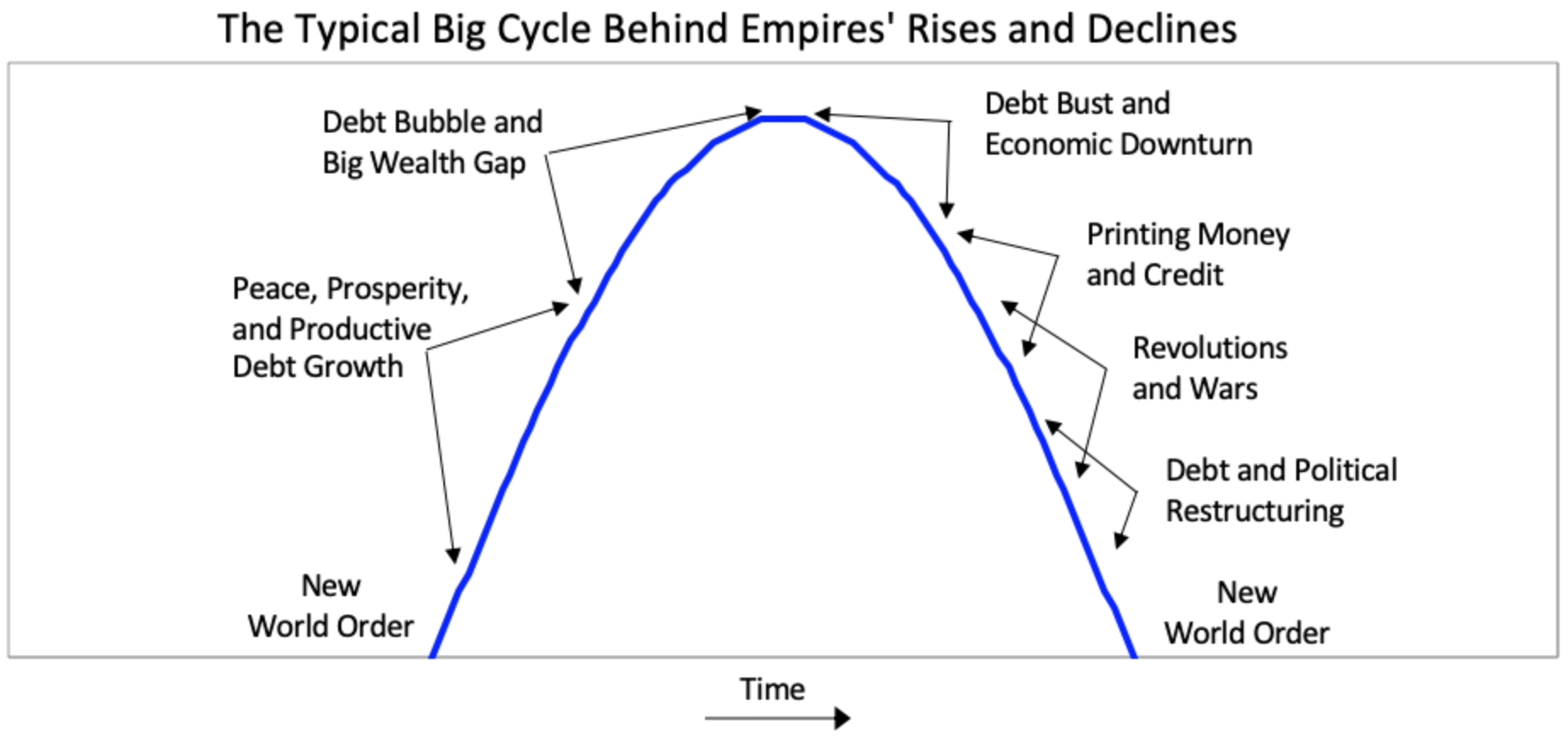
Amazingly simple graph by Ray Dalio on the rise and fall of empires

August 22, 2020 by Neville

rise and fall of empires graph by ray dalio

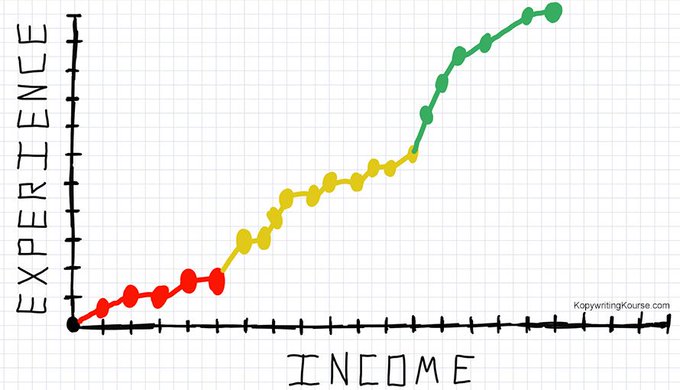
Experience vs Income

August 19, 2020 by Neville

The life of a freelancer looks like this. It’s super difficult at first, but then gets wayy easier later. At first you have to hunt for clients, by the end they find you. Good luck on your journey :)

experience vs income graph

Stay sane with work

August 17, 2020 by Neville

1.) Make a to-do list the night before.

2.) Once done with that to-do list, no more work allowed.

3.) Never add stuff for the to-do list the same day. If someone asks you for something, reply with “Ok I’ve got it on my calendar for tomorrow!”

Visiting an offshore oil rig (on land)

June 29, 2015 by Neville

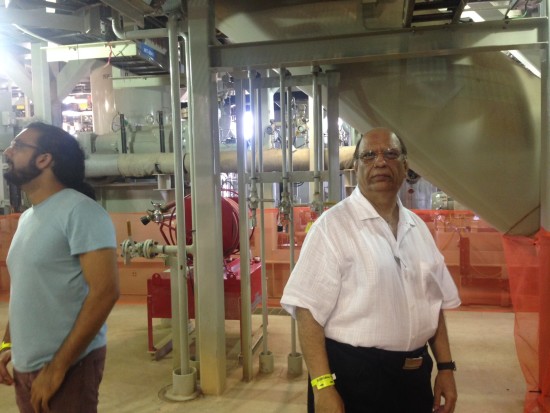
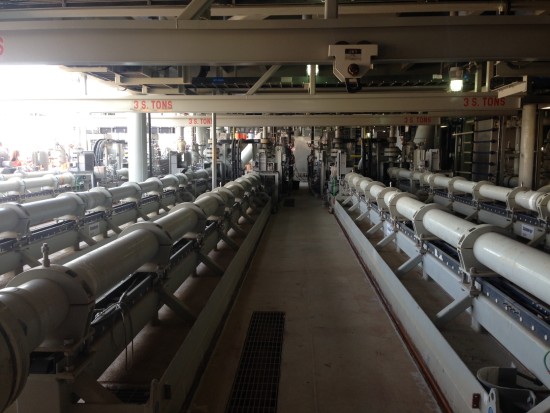
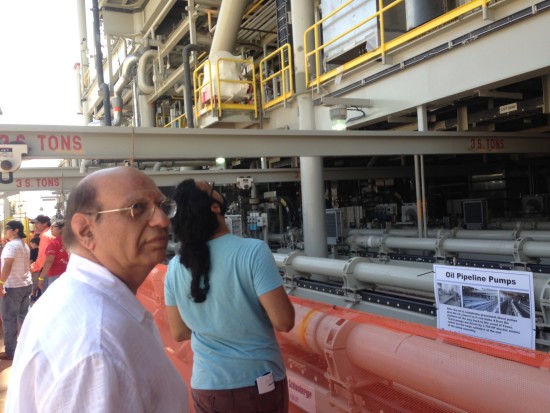
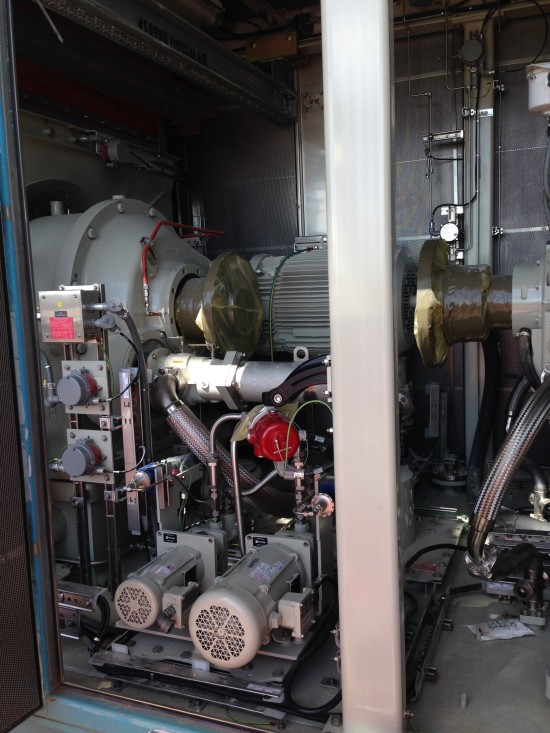
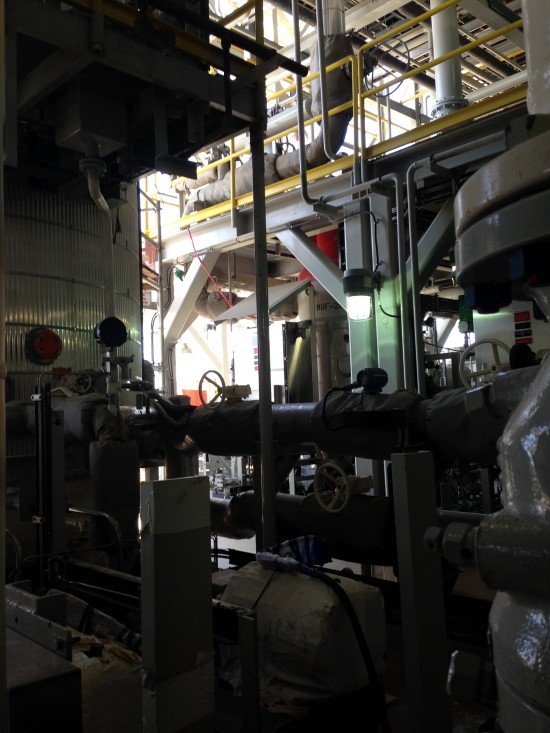
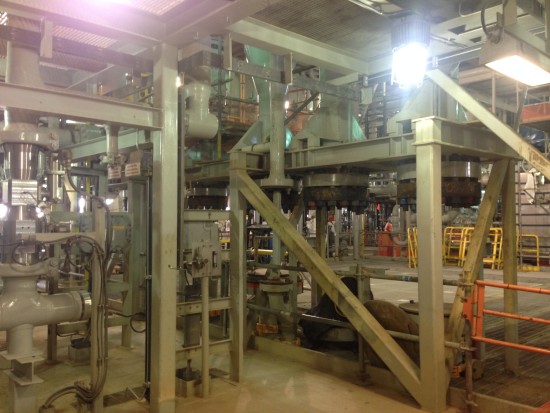
I visited an offshore oil rig my dad helped design, it was pretty cool getting to actually go on one (normally it’s NOT a thing visitors get to do)!

These are huge billion+ dollar projects with thousands of parts from hundreds of different suppliers.  Cool too see projects of this scale come together:

photo 1 photo 2 photo 3

photo 1 photo 2 photo 3 photo 4photo 4 photo 5

photo 1 photo 2 photo 3 photo 4 photo 5

Something I found interesting:
To get this platform built and setup costs about 1 billion dollars.  It can pump roughly $5,000,000/day in oil.

Assuming there’s only 300 full-production days per year, that’s still $1.5billion/year for 10+ years.  This rig will probably scrounge up $10 – 20 BILLION in oil over the years.

Wow….oil ain’t a bad business!!

Cool ass trick to find people talking about your niche

October 28, 2013 by Neville

Cool ass tip I just learned for finding people ACTIVELY talking about your niche/product/whatev:

1.) Google a word or subject. Like “wantrepreneur”.
2.) Under “More” in Google search bar, select “Discussions”.
3.) Under “search tools” select “past 24 hours”.

BAM. List of everyone talking about wantrepreneurs in last 24 hours.

You can chime into these discussions, see what they’re saying, use their language for your marketing, get ideas.  Whatever.

Use away.
-Neville

P.S.  Share or “like” this with friends or colleagues.  Extremely powerful research tool.

4 ways to sell something online realllly fast

October 9, 2013 by Neville

I’ve sold a crap-ton of things online over the years.  Physical stuff, digital stuff, services, software…..so I know a bit about this.

But a lot of people still have trouble trying to sell even ONE thing online.

But don’t fret, your Uncle Neville is here to help you out!

So awkwardly come sit on my lap, and I’ll quickly explain the 4 different ways I’ve personally used to sell stuff online (depending on your situation):

I’ll make each of these quick-n-basic.

Even if you’re NOT planning on selling something online right now, I suggest you read this email and save it for future reference (or forward to someone who can use it):


IF YOU’RE SELLING: an ebook, Excel file, video, piece of software…..
(Setup time: 5 minutes including sign up).
The best and fastest way to sell a single file type of product is GumRoad.  It’s retardedly simple (is that politically correct to say anymore)??

When I would sell my class notes in college, I sincerely wish I had something like GumRoad, because it totally automates the whole paying/delivering process.

You see….the DELIVERY process is always hardest.  I could easily accept PayPal payments, but then I’d have to manually send people their purchase through email.  GumRoad does all of this without you lifting a finger.

All you do is upload the file you want to sell to GumRoad, set the price….and you’re literally done.  Wanna see it in action??

I did a project called the ProblemSolvingChecklist which was a veerrryy short PDF document meant to sit on your computer desktop.

All I needed to do was collect $10 from people and send them a PDF file.  GumRoad was PERFECT for this.  You can see it here:

(this image is just linked to GumRoad directly where people can buy)

Even if I wanted to sell it through email because I have low website skills, all I have to do is include this short link, and it’ll take you directly to the sales page:

https://gumroad.com/l/VVTf

I sold hundreds of these through GumRoad in this manner.

GumRoad Pro’s: Insanely fast and easy to use. Amazing for selling/delivering individual things.
GumRoad Cons: They don’t accept PayPal.
IF YOU’RE SELLING……a small amount of something or consulting services:
(Setup time: 5 minutes)

I’d suggest PayPal for selling ANYTHING in small amount.  You can put little buy buttons anywhere on a website or email, and pretty much EVERYONE already uses PayPal.  Usually when buying a digital product I PREFER to pay with PayPal since it’s super-easy to request a refund if needed, and I don’t have to enter my credit card info (not concerned about safety, it’s more a laziness thing) :-P

Like if I made pet hamster costumes as a hobby and wanted to sell them myself, I’d just stick up a PayPal button, like this:

Just go to PayPal –> Merchant Tools –> Make Button

….and you can set the price and style of your button to get paid!

(btw…I knoowww I knowwww I spelled “Hamster” wrong).

So STILL TO THIS DAY I have some old digital products that are sold through PayPal, and not integrated into a fancy delivery system.  I get the persons order, and manually send them access through email.  Don’t be afraid to be ghetto!!


IF YOU’RE SELLING……a bunch of physical stuff:
(Setup time: 1 hour)

If you want a legitimate eCommerce STORE on the internet that sells a lot of items, has a built in shopping cart, inventory tracking etc….then I would suggest using one of these three:
-Shopify.com
-BigCommerce.com
-Volusion.com

NOW…..I know you’re gonna want to compare them all, but you’re too lazy.  FORTUNATELY your old Uncle Neville has you covered, and has extensively used all three of those platforms (I’ve used a ton other too, but these are the best services I’ve seen).

Shopify by far is the easiest and most intuitive to use (and the fastest).  It’s also got a huge app store so you can tack on functionality as needed.

BigCommerce and Volusion were both very good….but much more clunky to use and modify.  They were just “harder” to use that Shopify in general.

*One thing I loved about BigCommerce was it’s digital delivery.  You can deliver digital goods and it was VERY VERY seemless.  With Shopify I’ve had to find some work-around apps that don’t integrate quite as well as what BigCommerce has.

But if you’re just selling normal stuff, I’d highly recommend Shopify
(I personally picked Shopify for my NevBlog Store).


IF YOU’RE SELLING…..a book.  
(Setup time: 5 minutes)

Amazon.com is THE place to get a book…..so why not put your book on there??

It’s SO FREAKIN EASY TO SELF-PUBLISH A BOOK nowadays.  Especially through the Kindle platform.

And just a side note, every time I’ve released a book, the Kindle version greatly outsells the physical version.  Usually on a 3-to-1 ratio.  Other author friends have told me the same findings.

So the Kindle version is usually cheaper, but you sell SO many more books.  And it’s all digital, so there’s no worry about shipping.

You can take any story, blog series, or article you’ve made, and turn it into a Kindle book.  Just save it as a PDF file and upload it to https://kdp.amazon.com.  BAM….you’re a self-published author!  See my recent book on amazon:

https://amzn.com/0989895300

In addition to Kindle, I also used CreateSpace to make this book physically available, but so far the Kindle version has FAR outsold the physical version.  I personally prefer the physical version, but the people have spoken!

Bonus places to sell:
You can now start hosting specific things on specific services.  These services offer you a marketplace to sell in, and also handle the payment stuff for you (kinda like eBay does all the work for you).  Here’s a quick list:

-Selling an educational course?  Upload it to something like Udemy or Skillshare.
-Selling designs for 3D printing?  Upload your designs on Shapeways.
-Selling unique crafts? Post your stuff on Etsy.
-Selling your computer skills?  Post yourself on eLance.

The downside of these services is you lose some degree of control of how you sell your stuff, because you gotta play within their rules.  Obviously they also take a cut of your sales.  But these are great tools to use if you don’t have the skill or desire to take everything in your own hands.
So there you have it my young child (you can get off my lap now)…those are a couple ways to start selling stuff online quickly.

Don’t over think stuff too much though.  You can almost always just use a simple PayPal button to accept payments for damn-near everything.

Sincerely,
Old Uncle Neville

P.S. If you tell me what you’re trying to sell in the comments, I’ll respond and give you some advice on where to start!  Or just lemme know how YOU’VE sold something online quickly, I love hearing those stories and techniques.

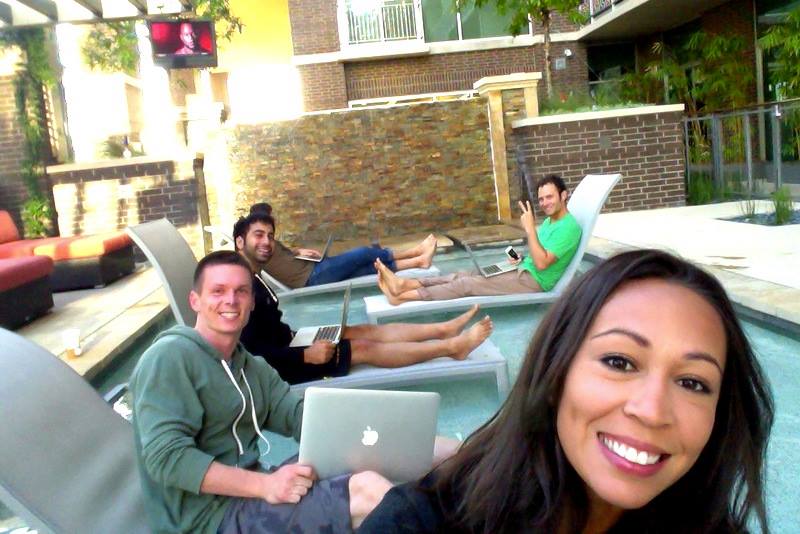
P.P.S.  I made this entire blog post from my pool!  I hosted an “8am-early-morning-creative-writing-session-from-the-middle-of-the-pool” party.  It’s awesome to sit and write around OTHER people who are writing also.  Fun mixed with productivity!  Image credit to Corina.  There were 5 of us working out of the pool for 2 hours:

Keeping Kreative with a 3D printer

September 11, 2013 by Neville

So get this, a few weeks ago I took a 3D printing class!!

I haven’t learned any new skill in a while, so I thought this would be a fun nerd-activity.

I’ve been fascinated by 3D printing since around 2007, but only now are 3D printers become semi-reliable enough for home use.

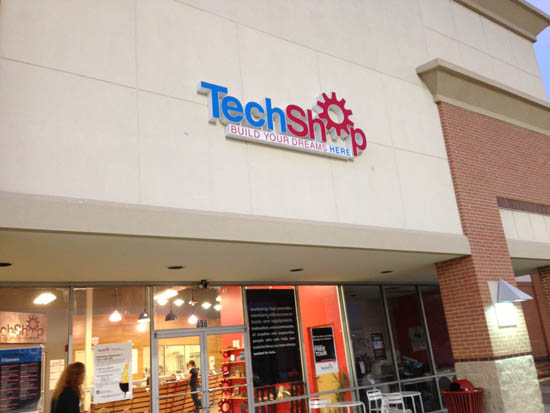
Anywhoozle…..I Googled “3D Printing Class Austin” and found a place called TechShop that holds them:3d-print-test5

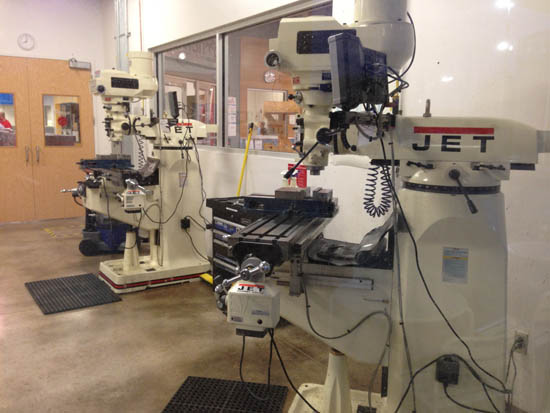
This TechShop was connected to a Lowe’s hardware store, and you can pay a monthly membership to use all the high end machine and manufacturing tools there like this:3d-print-test4

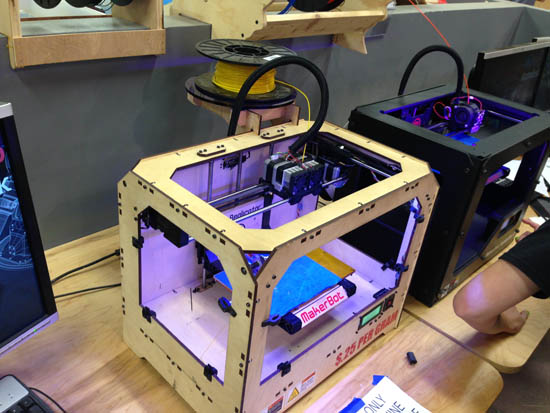
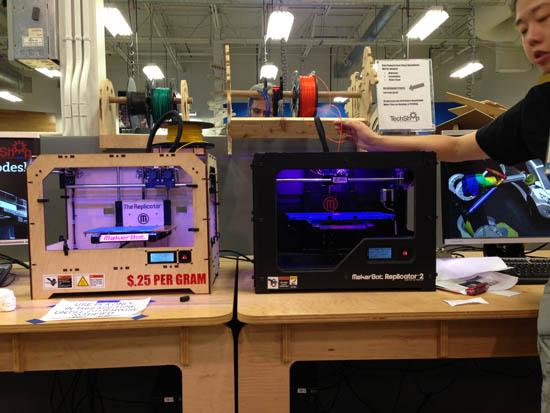
The class I enrolled in would teach you how to use a MakerBot Replicator 3D Printer.  You can see the Replicator1 (left), and Replicator2 (right):
3d-print-test3

Our instructor mainly showed how to use the cool-looking Replicator2:
3d-print-test6

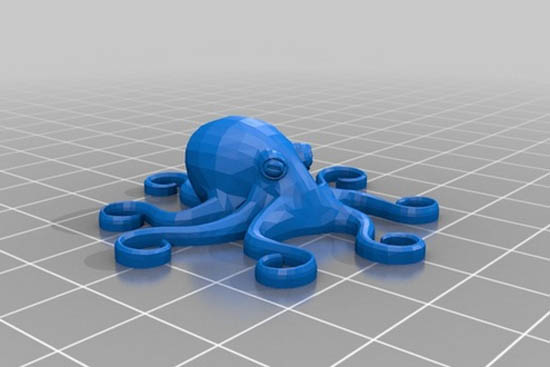
The first step was to learn the software, so we all downloaded pre-existing .stl files from the internet and loaded them into the 3D printing software.  Here’s the little toy octopus gettin ready to print:
3d-print-test9

Once the file is sent to the printer, it starts printing out small layers of PLA plastic less than 1 millimeter thick.  Once it’s done with that first layer, it moves up and prints another layer.  It does this hundreds of times until a full object is printed out!

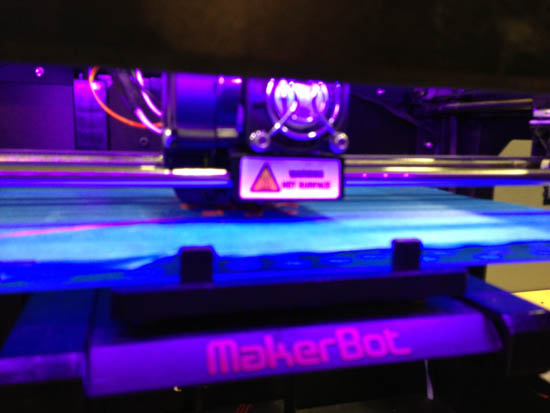
Here’s the printer in action using orange plastic:
3d-print-test7

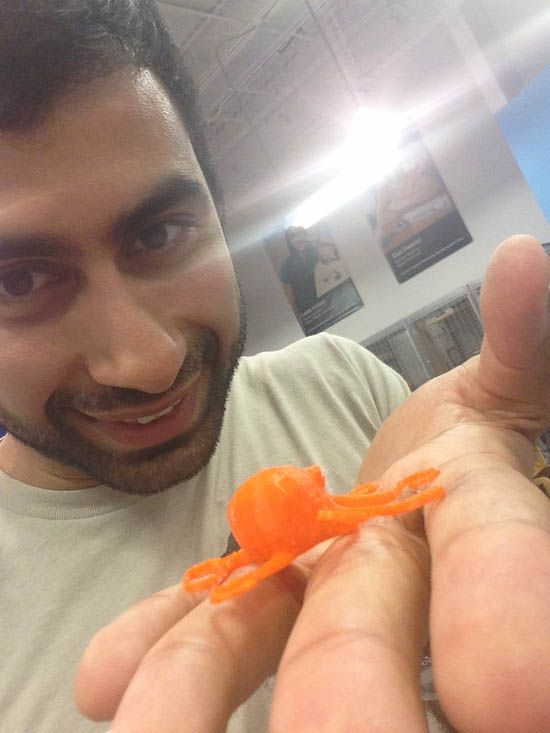
After about 15 minutes of printing a REAL OBJECT WE DOWNLOADED FROM THE INTERNET CAME INTO EXISTENCE!!!
3d-print-test1

Now I’d been wanting a 3D printer for a long time, and after taking the class I was dead-set on getting one….so I made a quick internet order for a MakerBot Replicator2.

I ordered a couple of spools of plastic filament and the MakerCare Insurance (because there’s like a 99% chance something WILL go wrong with the machine in less than a year).

I’ve also started downloading the printing software and experimenting/downloading objects from the internet.

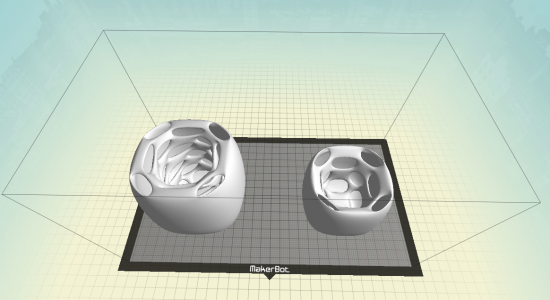
The first thing I want to print are these 3D shot glasses which would be impossible to create with a lathe or laser cutter:
Screen Shot 2013-09-11 at 7.15.49 PM

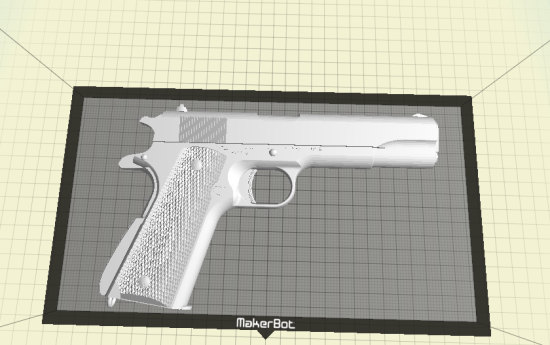
I also just for fun wanna print a gun….now keep in mind it’s just a mold of a gun made out of shitty plastic with no moving parts….but the CRAZY thing is the file I’m printing from actually includes all the parts to make a gun (assuming you had a high-precision metal-printing 3D printer you could possibly make one):Screen Shot 2013-09-11 at 7.17.11 PM

I also downloaded a bunch of other random cool stuff from Thingiverse for free.

I dunno exactly where 3D printing will go…..but the ability to create and print out highly complex objects from your home is going open up a WHOLE new plane of creativity like Apps did to smartphones.

It’s so cool to imagine that from my apartment I can manufacture things.  I mean….crappy things for now, but the technology will soon get better-and-better to the point where we’ll all be able to print out highly complex objects, machines, and circuitry.  SOOOO FREAKIN COOL!

Since I left college I’d always been trying to learn something new at all times….and lately I haven’t, so getting this excited about something new is very refreshing :)


Keep Kreative!
Sincerely,
Neville Medhora

  • Go to page 1
  • Go to page 2
  • Go to page 3
  • Interim pages omitted …
  • Go to page 6
  • Go to Next Page »

Primary Sidebar

Hi I'm Neville. This is my personal website. More…

Follow Along:

✏️ My Copywriting Blog
📂 My Swipe File Collection
▶️ YouTube Channel
🐦 Twitter
🌇 Instagram

Some Articles:

✏️ To-do list hack
✏️ The Lottery Experiment
✏️ Curb painting for profit
✏️ Illegal to write on money?
✏️ How to crash a party
✏️ Why Facebook Sued Me
✏️ Bottled Water Experiment
✏️ How House of Rave Works
✏️ Copywriting courses & books
✏️ Learning to backflip
✏️ Death Calculator
✏️ The purpose of life
✏️ Spray painted some shoes
✏️ Previous months goals
✏️ Have a reading party
✏️ Random article

The Archives:

  • 2025: J F M A M J J A S O N D
  • 2024: J F M A M J J A S O N D
  • 2023: J F M A M J J A S O N D
  • 2022: J F M A M J J A S O N D
  • 2021: J F M A M J J A S O N D
  • 2020: J F M A M J J A S O N D
  • 2019: J F M A M J J A S O N D
  • 2018: J F M A M J J A S O N D
  • 2017: J F M A M J J A S O N D
  • 2016: J F M A M J J A S O N D
  • 2015: J F M A M J J A S O N D
  • 2014: J F M A M J J A S O N D
  • 2013: J F M A M J J A S O N D
  • 2012: J F M A M J J A S O N D
  • 2011: J F M A M J J A S O N D
  • 2010: J F M A M J J A S O N D
  • 2009: J F M A M J J A S O N D
  • 2008: J F M A M J J A S O N D
  • 2007: J F M A M J J A S O N D
  • 2006: J F M A M J J A S O N D
  • 2005: J F M A M J J A S O N D
  • 2004: J F M A M J J A S O N D

Copyright © 2025 Neville Medhora